
Online Stores
Magento Migration
Magento Migrations That Keep Your Data, Your Customers and Your Rankings
Magento 1 to Magento 2 upgrades, Magento version upgrades, and migrations onto or off Magento - with products, customers, orders and search rankings carried across intact.
Handmade cotton tote
In stock · ships in 2 days
Checkout
Subtotal$24.00
ShippingFree
Total$24.00
Pay with
13
real Online Stores projects
★
Veyro Sports: custom team kits sold online
Fixed
scope, price and milestones before work starts
Yours
code, designs, data and accounts from day one
What is included?
- 01
Magento 1 to 2 Migration
Data, extensions and theme moved onto a supported release.
- 02
Magento Version Upgrades
Older Magento 2 installs brought up to date.
- 03
Moving To or Off Magento
Onto Magento from other platforms, or off Magento to Shopify or WooCommerce.
- 04
SEO-Safe Cutover
URL mapping, 301 redirects and post-launch monitoring.
Why Infigrity for Magento Migration?
Audit Before Estimate
Timelines and costs come from an inventory of your real store, not a generic package.
Rankings Planned For, Not Hoped For
URL mapping, 301 redirects and post-launch Search Console monitoring are part of the migration, not an afterthought.
Rehearsed on Staging
The full migration runs and gets tested on a copy first, so the live cutover is short and predictable.
Honest About the Destination
If Magento 2 isn't the right next platform for your store, we'll say so before you commit.
Related Online Stores work
Projects from the wider online stores service. Ask us for private examples specific to Magento Migration.
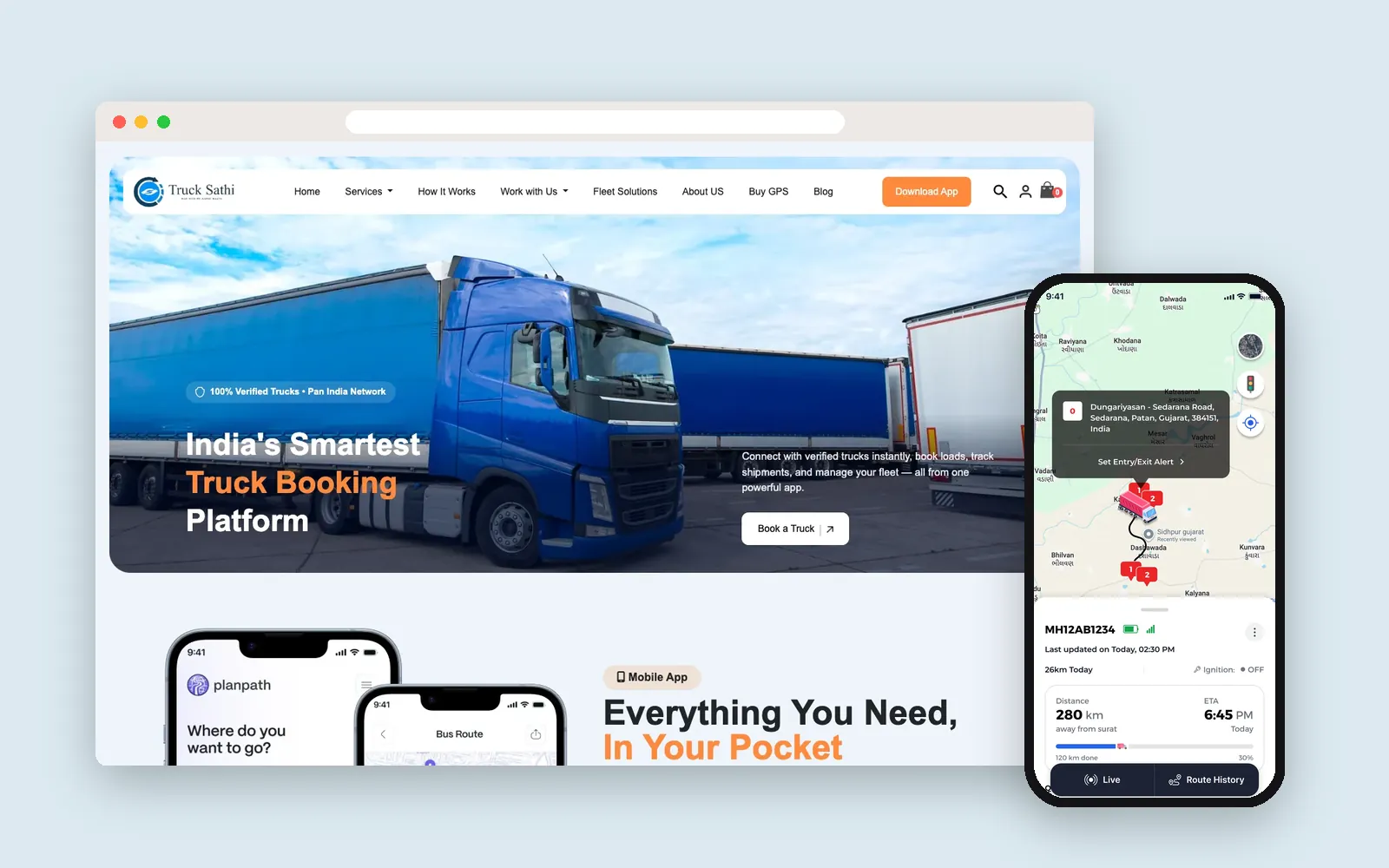 Live on Google Play
Logistics · India
Truck Sathi: truck booking, live GPS tracking and a custom CRM in 8 Indian languages
- Flutter
- WooCommerce
- WordPress
- Laravel
- Next.js
 Live on Google Play
E-commerce & Retail · India
Tvarix: a hyperlocal grocery marketplace with customer, seller and delivery apps
- Flutter

E-commerce & Retail · India
Print Kuch Bhi: a WooCommerce store, a faster new storefront and an operations CRM for a printing studio
- WooCommerce
- WordPress
- Next.js
On Magento 1, or a Magento 2 release losing support? Let's audit what the move involves.
Get a fixed quote and clear milestones after a free call.
How we deliver Magento Migration
- 1
Audit & Scope
Inventory every extension, customization, integration and data set, so the plan reflects what your store actually runs on.
- 2
Migration Plan
Decide what moves as-is, what gets replaced and what gets rebuilt - and map every old URL to its new one.
- 3
Staging Migration
Run the full data migration on a staging copy, rebuild the theme and extensions, and check the data against the live store.
- 4
Testing & Rehearsal
Test checkout, payments, pricing, search and integrations, and rehearse the cutover so launch day has no surprises.
- 5
Cutover & Delta Sync
Sync the orders and customers created since the staging run, switch DNS, and verify redirects - keeping downtime as short as possible.
- 6
Post-Launch Monitoring
Watch errors, performance and Search Console after launch, and fix anything that surfaces.
Tools and technology
- Magento 2
- Adobe Commerce
- Data Migration Tool
- PHP
- MySQL
- OpenSearch
Guides
Frequently asked questions
Is Magento 1 still supported?
No. Adobe ended support for Magento 1 on 30 June 2020, so it gets no security patches. Stores still on Magento 1 carry real security and payment-compliance risk, which is the main reason to migrate.
Is Magento 2.4.6 still supported?
Standard support for Magento Open Source 2.4.6 ended in August 2026, and only Adobe Commerce customers can buy extended support. Adobe supports each 2.4 release for three years from launch, so check your exact version on Adobe's lifecycle page.
How much does a Magento migration cost?
It depends on your extensions, custom modules, theme, data and integrations, and on where you are moving to. We give you a fixed quote after a short audit of your store. Our guide to Magento migration in 2026 explains the options and what drives the cost.
How long does a Magento 2 migration take?
It depends mostly on how many extensions and custom modules your store has, how heavily the theme is customized, and how much data you have. We give you a timeline after the audit, once those are known - not before.
Will we lose our Google rankings when we migrate?
Not if the migration is planned for it. We map every old URL to its new one with 301 redirects, keep product and category URLs the same wherever possible, carry over metadata, and monitor Search Console after launch.
Can customers keep their existing passwords?
Yes. Adobe's Data Migration Tool carries customer password hashes across, and Magento 2 upgrades them to its stronger hashing when each customer next logs in - so customers don't need to reset their passwords.
Will the store go offline during the migration?
Only briefly. The migration is run and tested on staging while your live store keeps trading, then the orders and customers created in the meantime are synced across just before the switch.
Will our Magento 1 extensions work on Magento 2?
No - Magento 1 extensions aren't compatible with Magento 2. Most have Magento 2 versions or alternatives; anything custom gets rebuilt. The audit tells you which is which up front.
Should we migrate to Magento 2, or move to a different platform instead?
If you rely on Magento's strengths - large or complex catalogs, multi-store setups, B2B pricing - Magento 2 is usually the right move. If you don't, a platform like Shopify may be cheaper to run, and we'll tell you so.
Can you move Magento to a headless or React front end?
Yes - Magento can run as the commerce back end behind a headless React or Next.js storefront. It suits stores that need a faster or highly custom front end, but it adds build and maintenance cost, so we only recommend it when it pays off.
More in Online Stores
Ready to start your Magento Migration project?
Tell us what you need. We reply within one business day with next steps, a rough timeline and the questions that matter.