
Websites
Why Is My Website Slow on Phones? How to Fix It and Pass Core Web Vitals
Why business websites load slowly on phones, how to measure it, the fixes that matter most, and a real redesign that took a mobile speed score from 12 to 96.
By Kazim Noorani, Managing Director
Most slow business websites are slow for the same few reasons: images far larger than the screen needs, too many plugins and scripts, heavy page builders and themes, and cheap hosting. Phones on mobile data feel it most. Fix the biggest of these and most sites become fast; when the theme itself is the problem, rebuilding the front end is often quicker than patching it.
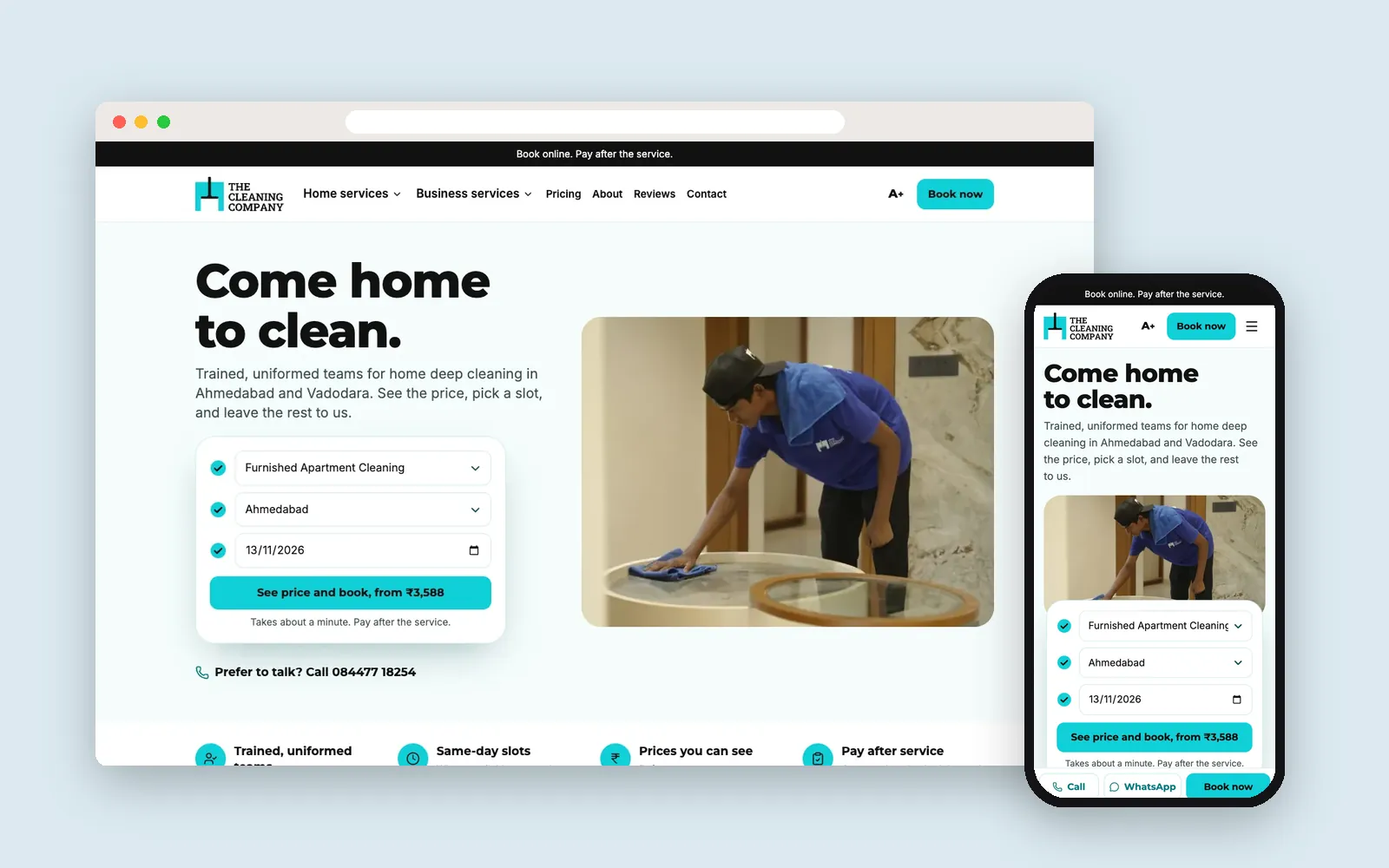
When we redesigned The Cleaning Company's site, the mobile Performance score went from 12 on the old site to 96 on the new version, and the page weight dropped from 4.9 MB to 0.45 MB.
Why does speed matter for a business website?
Visitors leave pages that take too long to show anything, and a slow site loses the people you paid or worked to bring in. Google also uses page experience, including Core Web Vitals, as one of the signals in ranking. For a site that exists to bring in inquiries, speed is part of the sales process.
What are Core Web Vitals?
Google's three measures of how a page feels to real visitors:
- Largest Contentful Paint (LCP): how long until the main content shows. Good is 2.5 seconds or less
- Interaction to Next Paint (INP): how quickly the page responds to taps and clicks. Good is 200 milliseconds or less
- Cumulative Layout Shift (CLS): how much the layout jumps while loading. Good is 0.1 or less
Google judges these from real visitors' Chrome data, shown in Search Console under Core Web Vitals. Lab tools such as PageSpeed Insights and Lighthouse simulate a mid-range phone on a slow connection, so they are stricter, but they are the best way to find what to fix.
How do you measure your site?
- Run your home page and your most important service page through PageSpeed Insights (pagespeed.web.dev) on the Mobile tab
- Note the Performance score, LCP, CLS and total page weight
- Open Search Console, then Core Web Vitals, to see how real visitors experience the site
- Repeat after every change, on the same pages, so you can see what helped
What slows a site down, and how do you fix it?
- Huge images: resize them to the size they are shown, use WebP or AVIF, and load images below the fold only when needed
- Too many plugins and scripts: remove what you do not use, and load chat widgets and trackers after the page is ready
- Heavy themes and page builders: they load code for every feature on every page. A lighter theme or a custom front end fixes this at the root
- Web fonts: use one or two, host them yourself and preload the main one
- Layout jumps: give images, videos and ads a fixed size so content does not move while loading
- Slow hosting: use good hosting with a content delivery network (CDN) and page caching
A real example: from 12 to 96
The Cleaning Company serves homes and businesses in Ahmedabad and Vadodara. Their old site was slow on phones, the layout jumped while loading, and booking took too many steps. We built a new booking-first front end in Next.js and kept WordPress as the admin, so the team still edits content the way they know.
- Mobile Performance score: 12 on the old site, 96 on the new version
- Main content visible (LCP): 12.7 seconds down to 2.7 seconds
- Page weight: 4.9 MB down to 0.45 MB
- Layout jumping (CLS): 1.1 down to 0
Measured on 5 November 2026 with Lighthouse 12.8.2, mobile preset, median of three runs, comparing the live site with the new version before launch.
Fix the current site or rebuild?
Start with the quick fixes: images, unused plugins, caching and fonts often bring a big improvement in a few days. If the score is still poor because the theme or page builder loads too much code, rebuilding the front end is usually better value than more patches. Keeping WordPress as the admin, as we did for The Cleaning Company, means your team does not have to learn a new system.
Frequently asked questions
Why is my website so slow on mobile?
Usually oversized images, too many plugins and scripts, a heavy theme or page builder, or slow hosting. Phones on mobile data feel these most.
What is a good PageSpeed score?
90 or above is good on PageSpeed Insights. For Core Web Vitals, aim for LCP of 2.5 seconds or less, INP of 200 milliseconds or less, and CLS of 0.1 or less.
Does website speed affect Google rankings?
Yes, as one of many signals. Google uses page experience, including Core Web Vitals, in ranking, and slow pages also lose visitors before they convert.
Can a WordPress site be fast?
Yes. A light theme, few plugins, optimized images and good hosting make WordPress fast. Another option is a fast custom front end with WordPress kept as the admin.
How much does it cost to speed up a website?
Quick fixes can take a few days. If the site needs a new front end, our business websites start from USD 1,500. We tell you which you need after checking your site.
Planning a project like this?
Tell us what you need. We reply within one business day with next steps, a rough timeline and the questions that matter.